A driver calls from the shoulder: a car cut across three lanes and slammed on its brakes in front of the truck. Without video, that's the driver's word against the other motorist's, and in front of a jury the 80,000-pound vehicle usually starts the case at a disadvantage. With video, your insurer and your defense attorney can see what happened within hours.
That's why dash cams have become one of the most common risk tools in trucking. They can also create new risks if nobody thinks through how footage is kept, reviewed and used. This is an overview for fleet owners and safety managers, not legal advice. Talk to your insurer and an attorney before you roll out a program, especially one that records drivers.
How video protects a trucking company
- It settles who caused the crash, quickly. Forward-facing footage of a car merging into the truck, running a red light or braking suddenly can end a claim before it becomes a lawsuit, or keep a lawsuit from growing into a nuclear verdict.
- It shuts down staged accidents and fraud. Staged collisions and exaggerated injury claims are much harder to sustain when the whole event is on video.
- It backs up the rest of your evidence. Video paired with telematics, such as speed, hard braking, following distance and location, lets your attorney show the driver was driving legally and attentively in the seconds before impact.
- It makes coaching specific. Reviewing a real near-miss with a driver is more useful than a generic safety video, and it leaves a record that you corrected risky behavior when you saw it.
- It protects good drivers. Many fleets find that drivers accept cameras once they see footage clear a coworker who did nothing wrong.
How the same video can hurt you
Cameras don't choose sides. The footage that clears one driver can sink another, and the program itself can create evidence against the company.
- Footage shows bad driving too. If the video shows speeding, a phone in hand or a driver nodding off, the plaintiff's attorney will ask for it, and they'll be entitled to it.
- Known risks you didn't act on. If your system flagged a driver for repeated distracted driving and nobody coached, retrained or disciplined them, that history can support a negligent supervision or retention claim. Collecting safety data and ignoring it can look worse than never collecting it.
- Deleted footage looks like hiding something. Once a crash happens or a claim is reasonably expected, you have a duty to preserve relevant evidence. If the system overwrites the clip after that point, a court can sanction you or tell the jury to assume the missing video would have hurt your case.
- Driver-facing cameras raise privacy issues. Cameras aimed at the driver, especially ones that record audio or use facial analysis to detect drowsiness or distraction, can run into state recording-consent laws and biometric privacy laws such as Illinois' Biometric Information Privacy Act. The rules vary by state and keep changing.
Rules to put in place before you install cameras
1. Write a video policy. Explain what the cameras record, when they record, who can view footage and why, how long footage is kept, and how it will be used for coaching and discipline. Have every driver read and sign it.
2. Set a retention schedule and a litigation hold procedure. Routine footage can be overwritten on a regular schedule, but anything tied to a crash, injury, cargo claim or complaint must be saved immediately. Decide who pulls that footage and make sure it happens the same day as the incident.
3. Preserve footage properly. Download the original files with their date, time, speed and GPS data intact, store them securely, and keep a record of who accessed them. A clean chain of custody makes the video much easier to use in court.
4. Coach consistently. Review flagged events on a schedule, document every coaching conversation, and apply the same standards to every driver. Uneven discipline can become evidence in employment disputes and injury lawsuits alike.
5. Be careful with driver-facing cameras. Get advice on your states' consent and biometric privacy rules before turning on audio or facial analysis features, and be open with drivers about what is recorded.
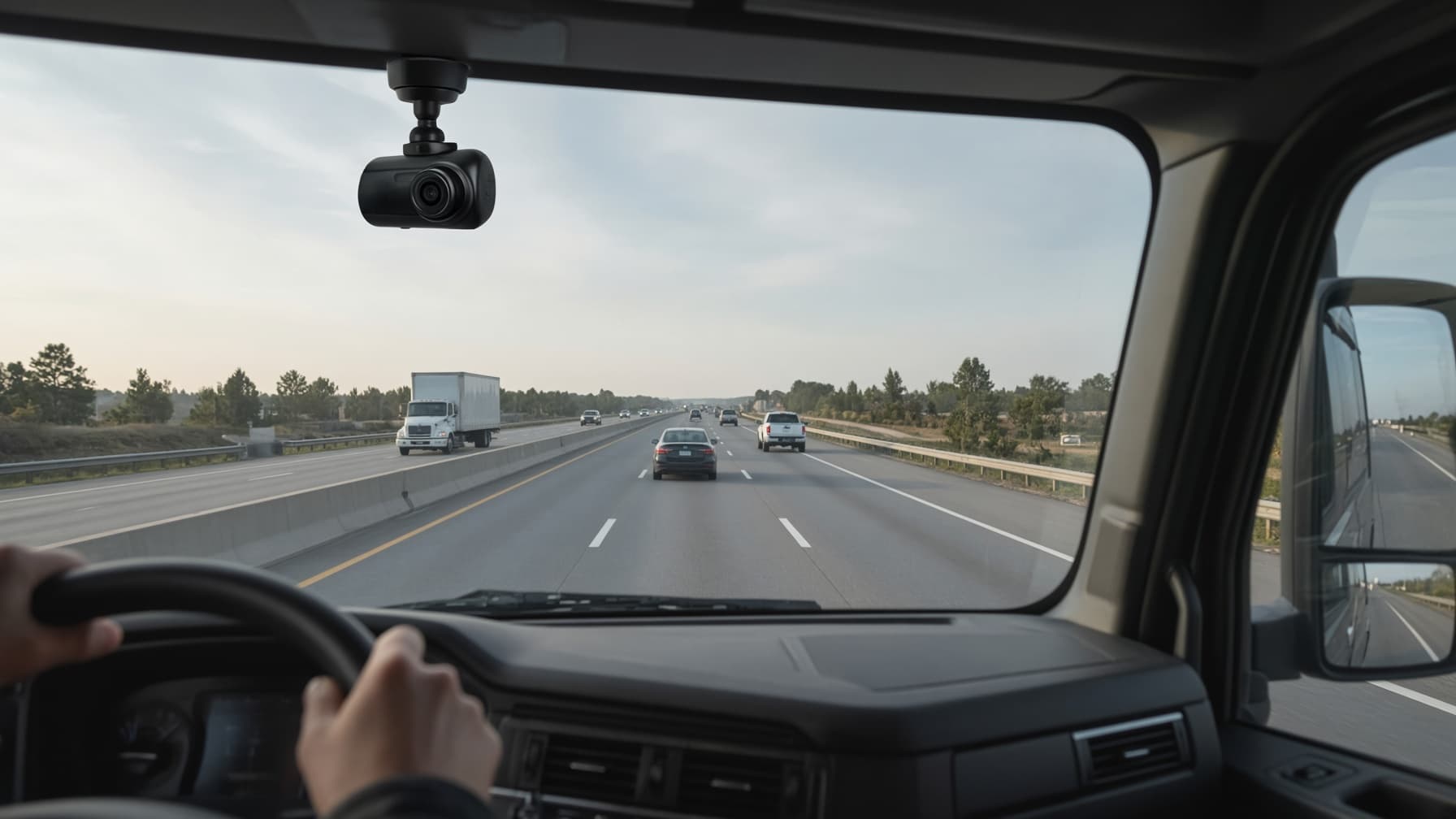
6. Mount cameras legally. FMCSA rules in 49 CFR 393.60 limit where devices can be mounted on the windshield. In general, a camera has to sit close to the top or bottom of the area swept by the wipers and stay out of the driver's line of sight to the road, signs and signals. Make sure your installer follows the current rule.
7. Talk to your insurer. Ask how your insurance carrier views camera programs and what retention and review practices they expect. Some insurers take a well-run program into account.
Choosing a system with liability in mind
Features matter less than whether the system supports good records. Look for:
- Event-triggered recording that saves clips automatically after hard braking, collisions and swerves.
- Telematics data synchronized with the video.
- Easy download and export of original files when a claim comes in.
- Access controls and logs showing who viewed or exported footage.
- Adjustable retention, so the system matches your written policy.
The bottom line
A dash cam program works for you when footage is preserved, reviewed and acted on, and when those steps are documented. It works against you when cameras are installed and forgotten. Keep your video policy, driver acknowledgments, coaching notes and incident footage organized alongside the rest of each driver's safety records, so when a claim arrives your attorney gets the complete picture instead of a single clip.
Dash cams and liability: quick answers
Do dash cams help trucking companies win lawsuits? They often help, especially when the other driver caused the crash, because video can show fault quickly. They also capture unsafe driving, so they help most in fleets that coach and correct problems.
Can dash cam footage be used against a trucking company? Yes. If footage is relevant to a crash or lawsuit, the other side can request it in discovery, and a record of ignored safety alerts can support negligent supervision claims.
How long should a fleet keep dash cam footage? Follow a written retention schedule for routine footage, and save anything related to a crash, injury or claim right away. Once litigation is reasonably expected, don't delete relevant footage until your attorney says you can.
Are driver-facing cameras legal? Generally yes, but audio recording and facial or biometric analysis can trigger state consent and privacy laws. Get legal advice for the states where your drivers live and work.
Does the FMCSA require dash cams? No. FMCSA doesn't require them, but it does regulate where devices can be mounted on the windshield.
Is this legal advice? No. It's a general overview. Your attorney and insurer should review your camera policy before rollout.